Unlock Your DNA's Full Potential
Don't let your DNA data sit in just one database. Transfer your raw data to FamilyTreeDNA to find more relatives, access advanced chromosome tools, and join volunteer projects—all without re-testing. You never know where your key match might be hiding.
Simple, step-by-step guide. No jargon.
Where did you test originally?
23andMe
Guide in development.
FamilyTreeDNA
Transferring OUT to other sites.
Go to Download Settings
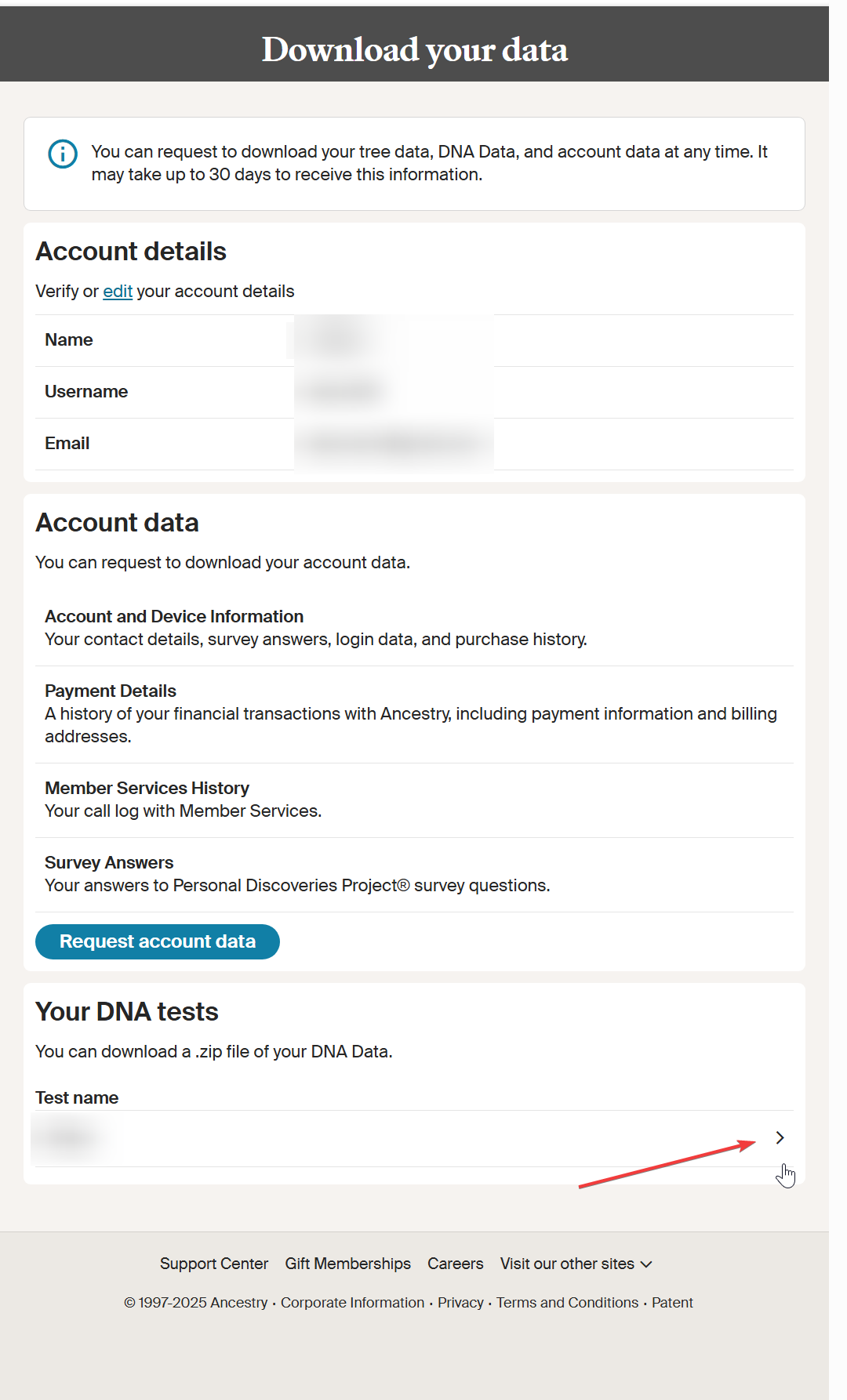
Click the purple button below to open your Ancestry Data page. Scroll to the bottom and click the Test Name (look for the little > arrow).
Confirm Request
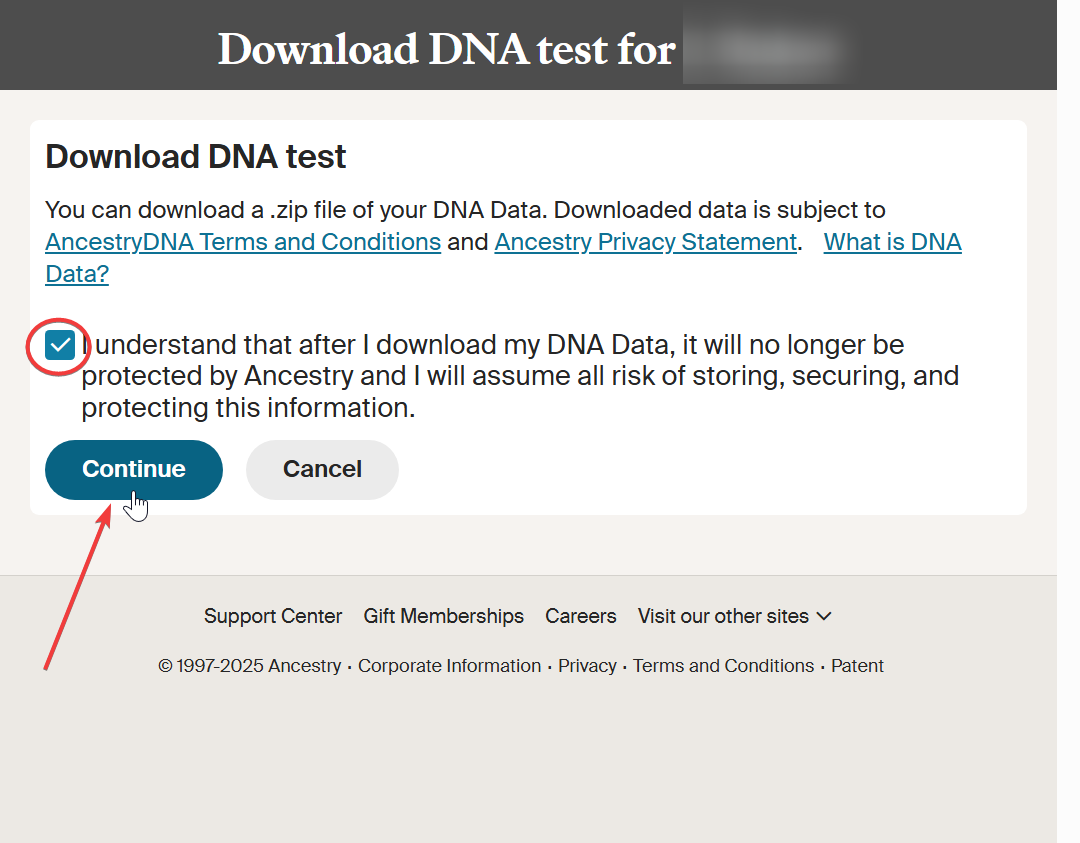
Check the consent box and click Continue. You might be asked to enter your password.
Check Your Email
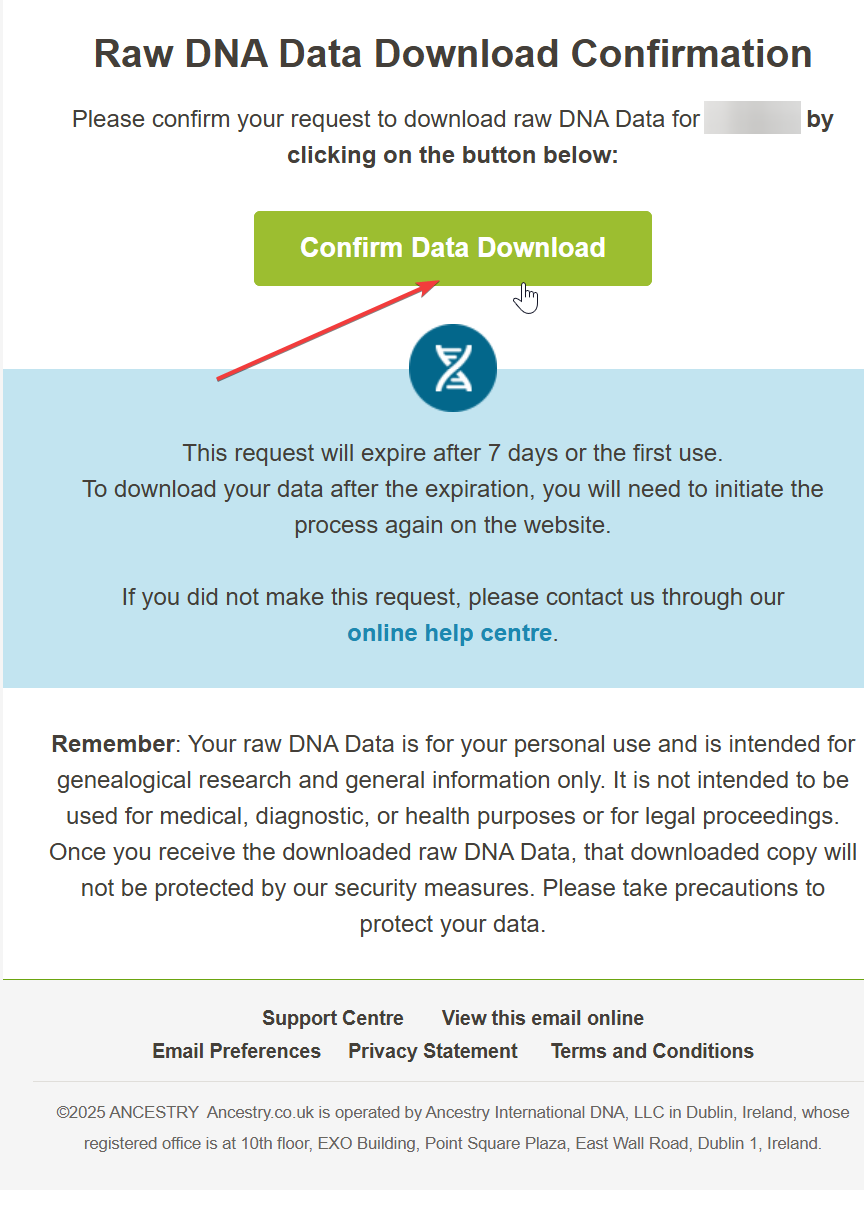
Wait 5-10 minutes. You'll get an email from Ancestry. Click the green Confirm Data Download button.
Download the File
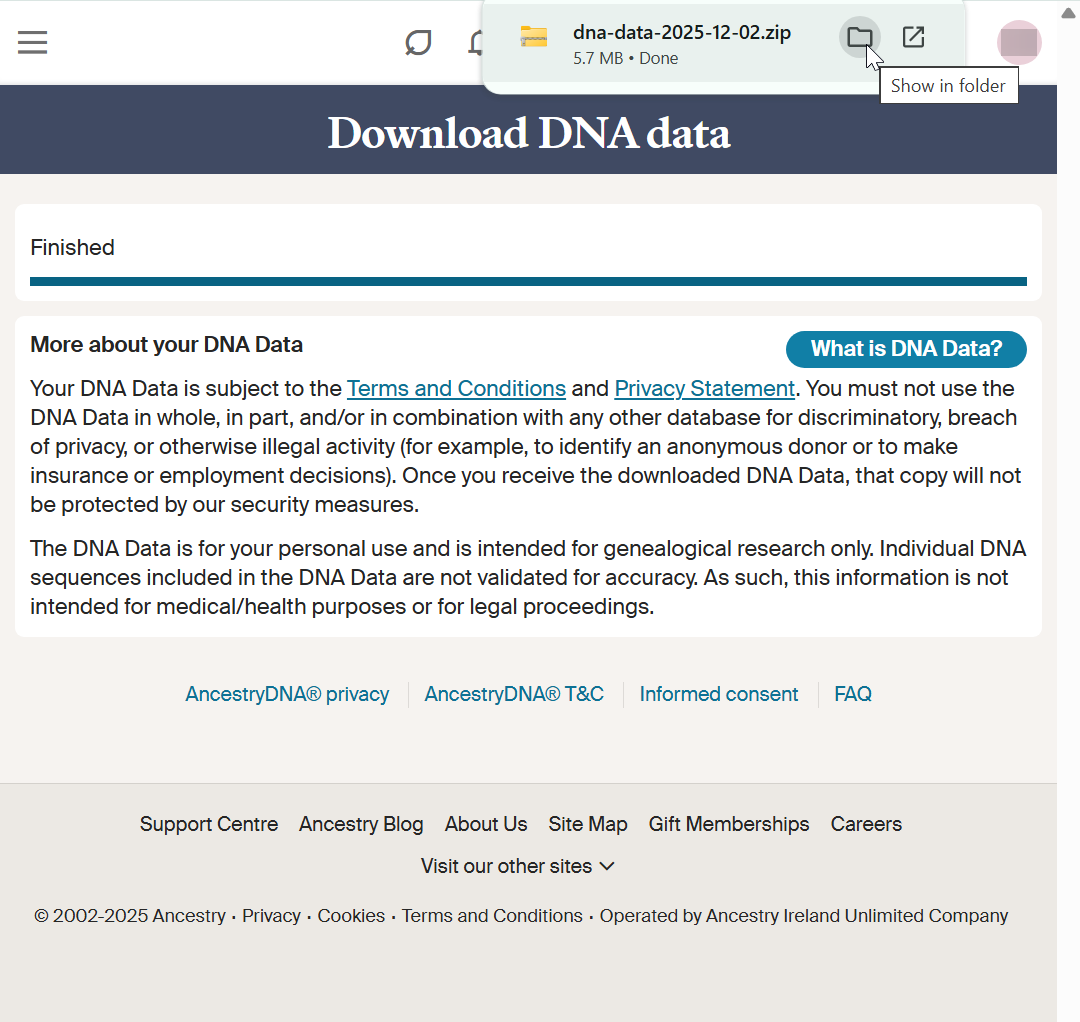
Click Download DNA Data. Save the zip file to your computer.
Important
Do NOT unzip the file. Leave it as a .zip.
Join FamilyTreeDNA
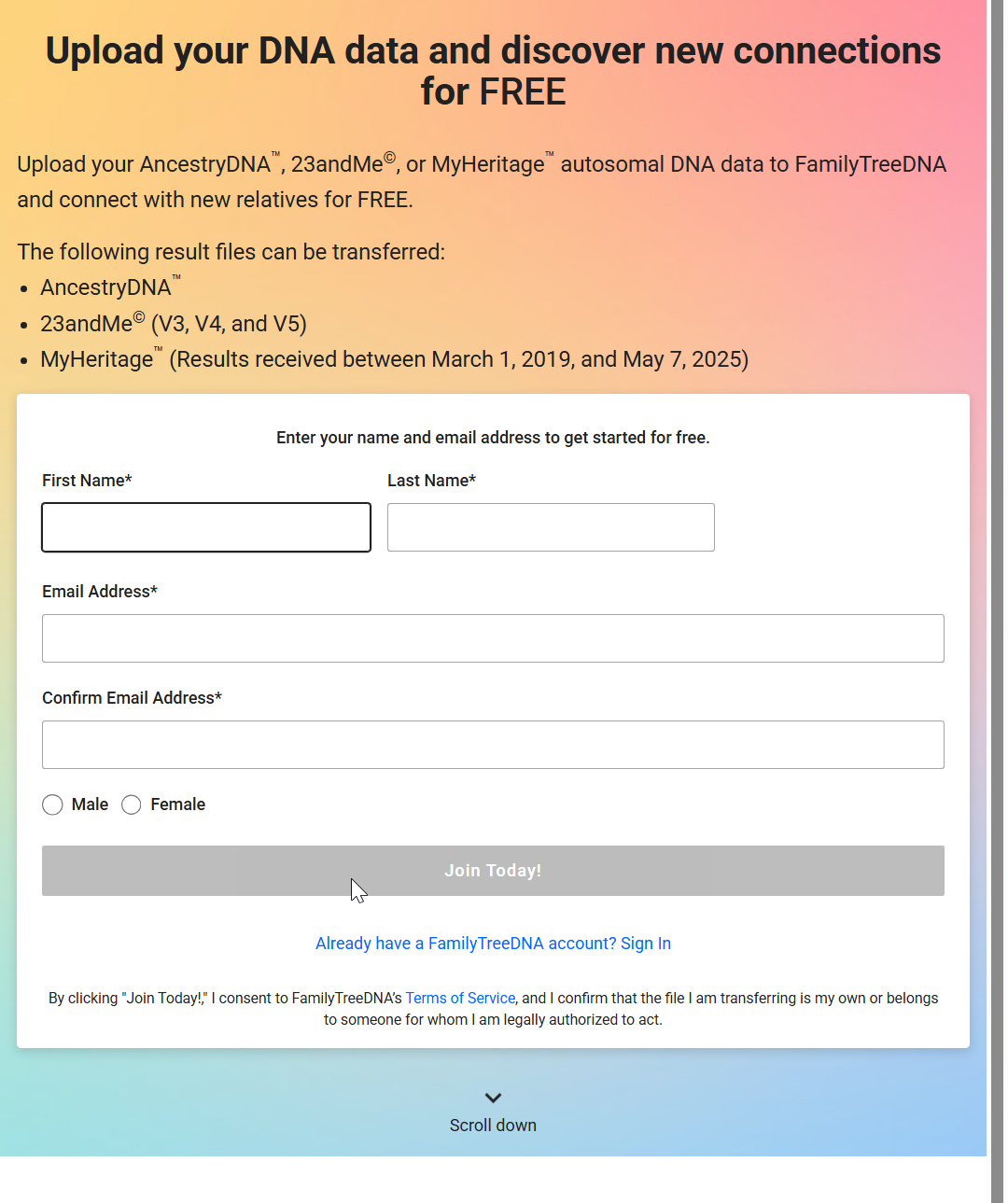
Go to the upload page. Fill in your details and click Join Today.
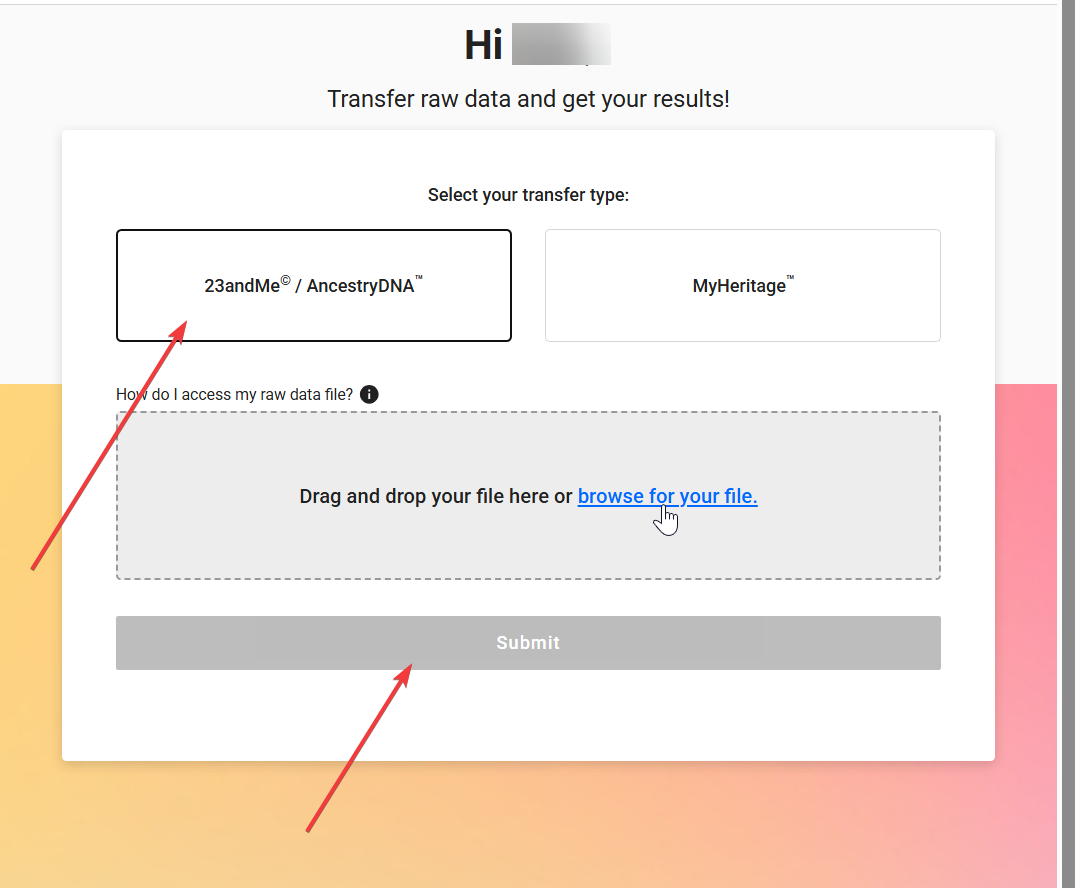
Upload Your File
Click the 23andMe / AncestryDNA box (Left). Browse and select the zip file you saved.
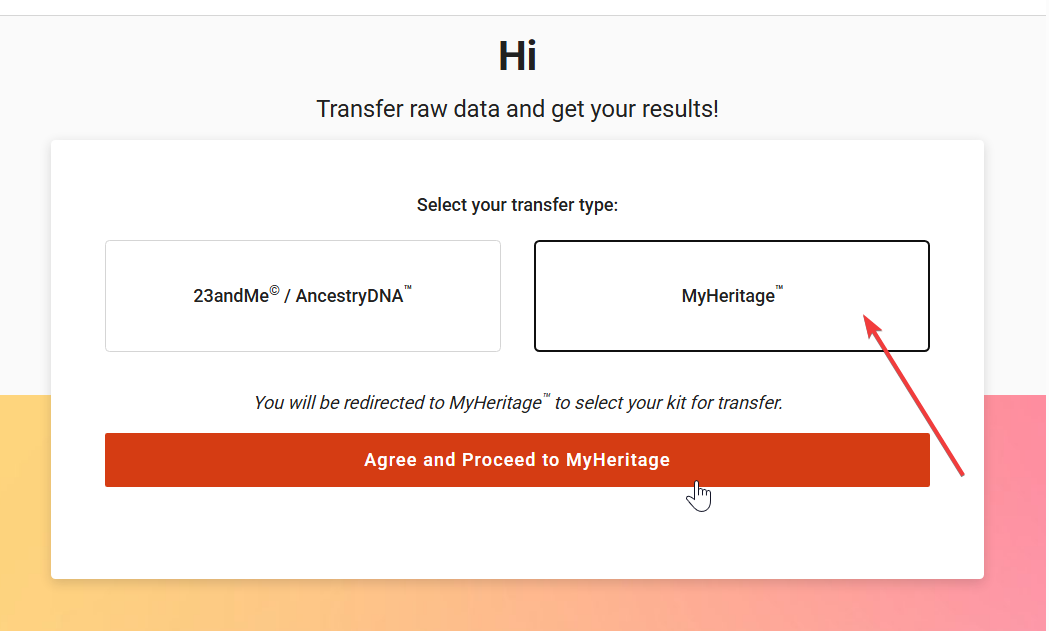
Select MyHeritage
Click the MyHeritage box (Right) then click "Agree".
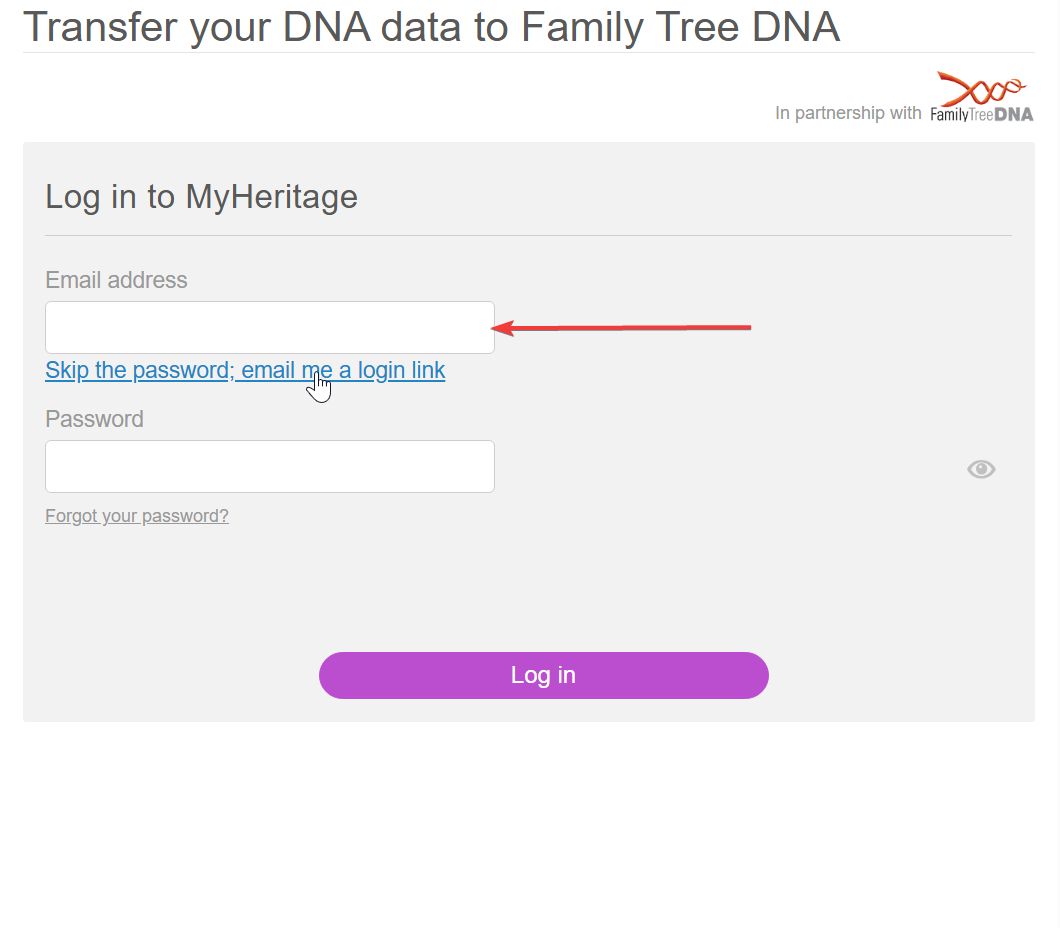
Login to Authorize
Log in to MyHeritage to authorize the automatic transfer.
You're All Set!
Your data is being processed. This typically takes 24-48 hours.
Next Steps
- Wait for the confirmation email from FamilyTreeDNA.
- Log in to view your new matches.
- Explore projects to join.